
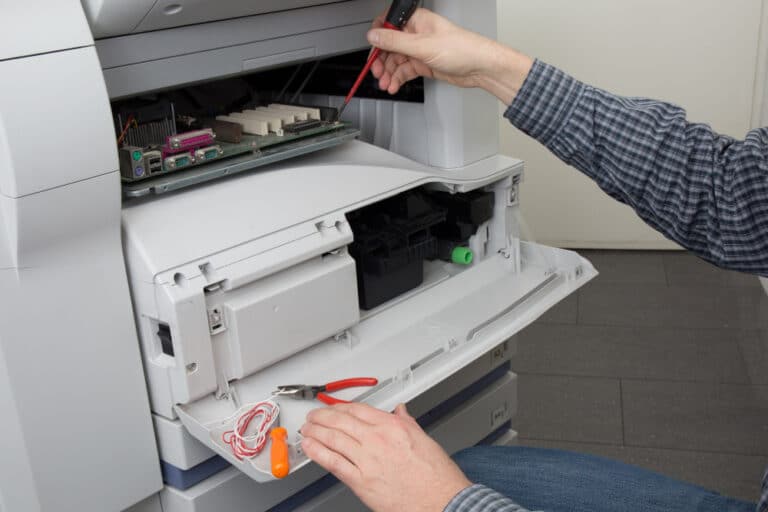
Printers are essential tools in personal and professional settings, yet they often face wear and tear due to consistent use. Regular maintenance is key to ensuring a printer’s longevity and reliability. Neglecting upkeep can lead to frequent breakdowns, costly repairs, and reduced print quality, disrupting productivity.
This guide focuses on simple yet effective steps to help you maintain your printer for a longer lifespan. By adopting proactive care practices, you can reduce downtime, save on repair costs, and keep your printer performing at its best for years.
Printer Lifespan: Key Factors and Influences
Ensuring your printer’s longevity requires understanding the key factors that impact its lifespan. One critical influence is the quality of materials used by brands like HP, Canon, and Brother. Investing in a well-built printer can provide a longer lifespan and more reliable performance. Additionally, the frequency of use significantly affects the printer’s lifespan.
Regular use with proper care can enhance a printer’s lifespan, whereas frequent idle periods may contribute to deterioration. Environmental conditions such as humidity and temperature can also influence a printer’s lifespan. Keeping your printer in a controlled environment aids in prolonged functionality.
Conducting routine maintenance checks and adhering to manufacturer guidelines is crucial to ensuring a longer printer lifespan. Regularly cleaning components and timely replacing ink and toner cartridges are vital to maintaining optimal performance. By prioritizing these factors, you’re extending your printer’s lifespan and ensuring sustained productivity and cost efficiency for your business operations.
Key Factors Impacting Printer Lifespan
Quality materials from trusted brands
Frequency of use and proper care
Environmental conditions like humidity and temperature
Routine maintenance and cleaning
Benefits of Choosing High-Quality Printers
Longer lifespan and reliable performance
Reduced need for frequent repairs
Consistent print quality over time
Better cost efficiency for businesses
Essential Strategies for Maintaining Printers
Incorporating essential printer maintenance strategies can significantly extend their longevity and ensure optimal performance. Regular care and maintenance are crucial for maintaining your office equipment. Follow this guide to effective printer maintenance that can save you time and reduce repair costs.
- Clean your printer regularly to prevent buildup and extend its lifespan.
- Keep software updated to maintain efficient performance.
- Inspect cables and connections routinely to avoid malfunctions.
- Monitor ink and toner levels to prevent workflow disruptions.
- Use quality supplies to enhance print quality and prevent damage.
Investing in quality supplies will also enhance print quality and prevent damage. ABC Computer Services can ensure comprehensive care when your equipment requires professional service. Using these proven tips, your office printer will be long-maintained, providing consistent service and reliability.
Clean components regularly to prevent buildup
Replace ink and toner cartridges on time
Follow manufacturer guidelines for upkeep
Daily Printer Maintenance Techniques for Longer Lifespan
Extending your printer’s lifespan hinges on diligent daily maintenance. By incorporating simple techniques into your routine, you can ensure longer and more prolonged use. First, always check the type and quality of paper you’re using. Using recommended paper helps maintain efficiency and prevent jams.
Next, regularly cleaning the printer’s interiors, mainly focusing on the printing heads, helps minimize the build-up of dust and ink particles. It’s advisable to clear any visible spots gently to prevent accumulation. Daily maintenance ensures the printer stays in a stable, dust-free environment to minimize unnecessary wear.
Another key element of daily care is to inspect the ink and toner levels, as operating on low reserves may significantly impact print quality and damage components. Maintaining the exterior is equally essential; cleaning the surface regularly with a soft cloth can prevent dust from penetrating the device.
By adopting these daily maintenance habits, you’ll prolong your printer’s lifespan and ensure more reliable performance when needed.
Cleaning Practices to Maintain Optimal Performance
Regular cleaning is vital for your printer to maintain optimal performance. Start with the exterior, ensuring dust and debris don’t enter the device. Interior cleaning requires care, as toner and ink build-up can cause problems.
- Use a lint-free cloth and isopropyl alcohol for safe cleaning.
- Avoid harsh chemicals to protect delicate printer components.
- Open the printer cover to access and clean the interior.
- Gently remove toner or ink residue to prevent buildup.
- Clean the printer rollers to reduce paper jams and ensure smooth operation.
- Cleaning should be included as a routine task in your maintenance plan.
Longer-lasting printers result from ongoing diligence, which reduces breakdowns and retains print quality. Moreover, by addressing cleaning issues early, you’ll extend the life of your toner and ink cartridges, saving money and time. Regular cleaning helps maintain productivity, ensuring your business operations remain uninterrupted and effective.
Weekly Printer Checkups to Enhance Lifespan
Regular weekly printer checkups are fundamental in enhancing the lifespan of your office equipment. Substantial printer maintenance should never be overlooked to prevent frequent breakdowns and maximize efficiency. Each week, it’s beneficial to visually inspect the printer for any signs of wear or loose parts.
- Check ink and toner levels and refill as needed for quality prints.
- Clean printer heads and rollers regularly to prevent buildup and smudges.
- Ensure software and firmware are up-to-date to avoid performance issues.
- Recalibrate printer settings to maintain optimal functionality.
- Print a test page to verify output quality and accuracy.
Neglecting these weekly checkups might result in shorter equipment lifespan and increased repair costs. At ABC Computer Services, we advocate for consistent printer maintenance to achieve longevity and reliability. Taking proactive steps can substantially enhance your printer’s performance.
Addressing Ink and Toner Supplies
Managing your printer’s ink and toner supplies is essential for extending lifespan. At ABC Computer Services, we’re dedicated to helping you maintain your printing equipment efficiently. It’s crucial to monitor your ink and toner levels regularly. An insufficient ink supply can lead to poor print quality and can even damage your printer in the long run.
Ensure you always have spare cartridges on hand to avoid interruptions in your printing workflow. Quality also counts, so invest in high-grade ink and toner cartridges to enhance print output. While it may be tempting to opt for cheaper options, subpar ink can lead to issues like clogged printheads, requiring costly repairs.
Another vital aspect is properly storing ink and toner—keeping them in a cool, dry place to maintain quality and prevent early degradation. Practicing consistent checks on your ink and toner supplies will avoid unexpected downtime and significantly preserve printer efficiency and lifespan.
Monthly Procedures for Sustained Print Quality
Maintaining print quality is crucial for any business, particularly for small business owners and office managers who rely heavily on printers. Monthly maintenance from our guide can significantly prolong your printer’s lifespan and keep operations seamless. Start by checking vital printer parts such as the rollers and fuser units for wear and tear.
These parts often degrade over time, affecting output quality. Regularly clean the printer’s interior to prevent dust accumulation that can impair print quality. Document any parts requiring replacement as part of your maintenance routine. Ensure proper alignment and calibration for optimal sustained performance.
Addressing these monthly procedures can reduce downtime and extend the life of your printer. ABC Computer Services believes consistent maintenance is key to avoiding costly repair bills and ensuring dependable service. Implementing these monthly strategies helps prevent unexpected breakdowns and guarantees superb print quality.
Our expert recommendations underscore the importance of timely interventions and the usage of recommended parts. For continued reliability, keep this document handy during each maintenance cycle.
Advanced Printer Care for Longer Use
Ensuring the more extended use of your printer equipment involves understanding its care requirements and investing time in advanced care practices. Major brands like HP, Canon, Xerox, and Epson recommend routine maintenance checks to extend device life.
Regular inspection of LaserJet and other printer equipment is essential to prevent frequent breakdowns and costly repairs. Monthly tasks include cleaning the print heads and ensuring the internal components are free of dust and debris. This care ensures consistent print quality, reducing the risk of clogs or mechanical issues in models such as HP, Canon, or Epson LaserJets.
To maximize durability, periodically replace generic parts with officially recommended HP, Canon, Xerox, or Epson ones. The laserjet technology, often found in office settings, benefits significantly from regularly applying these steps.
Additionally, replenishing toner and ink supplies with high-quality products from Xerox, HP, or Canon ensures the smooth running of the printer. By consistently implementing advanced care strategies, you not only extend the life of your equipment but also improve workplace efficiency.
Practical Guidelines for Printer Supply Management
Effective printer supply management is essential for maintaining your printer’s optimal performance and prolonging its lifespan. Prioritize quality to manage supplies like paper and cartridges efficiently. Always use high-quality paper to reduce jams and wear on your printer.
Keep a well-organized stock of paper to ensure you’re never caught off-guard. Avoid loading too much paper, leading to feed errors and equipment damage. Store cartridges in a cool, dry place to maximize their longevity. Monitor cartridge levels consistently and replace them before they run out to prevent print head clogs and maintain print quality.
Establish a routine for checking your printer’s supply status, which aids in anticipating needs and minimizing unexpected interruptions. Encourage staff to report low supplies promptly, fostering a proactive approach to management. By following these practical guidelines, you ensure that your printer remains a reliable asset.
Consistent attention to paper and cartridges helps minimize disruptions, save money, and ultimately support seamless business operations at ABC Computer Services.
Troubleshooting Common Printing Issues
Regular care ensures your office machine operates efficiently, but even the most diligent users encounter common printing issues. For small business owners and IT professionals, understanding how to troubleshoot these problems can significantly enhance productivity and reduce frustration.
Inkjet printers often face nozzle clogging, which can be mitigated by regularly using the printer to prevent ink from drying up. Digital printers might experience misalignments, manifesting as streaks or lines, typically resolvable by a printhead alignment. Frequent paper jams also fall into this series of issues and can often be traced to overloaded trays or incorrect paper sizes.
You can mitigate these common issues efficiently by following simple tips such as ensuring proper paper handling and checking for small obstructions. Consistent maintenance not only extends the printer’s lifespan but also keeps your office machine in optimal condition.
Embrace proactive troubleshooting and see how these tips can improve office workflow, minimize downtime, and enhance the productivity of your printing equipment.
Creating a Printer Maintenance Schedule
Creating a printer maintenance schedule is crucial for ensuring your enterprise printers are always maintained in top condition. Establishing a regular maintenance routine helps prevent unexpected breakdowns and keeps your printing services uninterrupted.
At ABC Computer Services, we emphasize the importance of a maintenance schedule tailored to your needs. Regular check-ups, cleaning protocols, and monitoring ink and toner usage are vital components to include in your plan. Set aside time each month for a comprehensive review of your printer’s cartridges, paper feed, and connectivity settings.
It’s also essential to keep track of when your printer was last serviced to ensure it’s consistently maintained at a high level. Implementing such proactive care can significantly enhance the lifespan of your office equipment, saving high repair costs in the long run.
Additionally, by maintaining an apparent backlog of service history, you’ll be able to spot potential issues before they turn into significant problems, keeping your enterprise operations running without back challenges.
Professional Insights on Printer Maintenance
Gaining insights into professional printer maintenance can significantly enhance the performance of your office printers. At ABC Computer Services, we focus on efficient techniques for caring for your printers, ensuring they remain reliable components of your daily operations.
Implementing these practices can save small businesses and offices time and money by reducing the frequency of costly breakdowns. When done professionally, regular maintenance checks allow early detection of issues that may go unnoticed. Simple steps such as cleaning printer heads, using the correct paper types, and handling ink and toner properly help maintain peak efficiency.
You can take action with straightforward, consistent practices that prevent wear and tear on your printer. For office managers, IT professionals, and educators who rely daily on printers, embracing these strategies ensures uninterrupted printing activities. Investing time in understanding professional maintenance extends the lifespan of your office’s most valuable printing assets. It enhances overall productivity, making it an invaluable practice for all who depend on printers regularly.
In conclusion, regular care of printers extends their lifespan and enhances performance and reliability, which are crucial for seamless business operations. By following these tips, small business owners and office administrators can minimize downtime and reduce repair costs.
Investing in routine maintenance with professionals like ABC Computer Services can save you from unexpected expenses and ensure your equipment functions smoothly. Trust our expertise to keep your printers in optimal condition, allowing you to focus on what matters most – your work and productivity.